

IPTV Smarters Pro Setup Guide (USA 2027): Login, Settings and Fixes
QUICK ANSWER
To set up IPTV Smarters Pro: (1) install the app from your device’s app store or the official IPTV Smarters website, (2) tap Add User → Login with Xtream Codes API, (3) enter any name plus the username, password and server URL from your IPTV provider, (4) tap Add User. Your channels, movies and series load in seconds. No login yet? Get a free 24-hour IPTV trial.
IPTV Smarters Pro is one of the most used IPTV player apps in the USA. It is free, works on almost every device and has a clean menu for live TV, movies, series and the TV guide. This guide shows you how to set up IPTV Smarters Pro step by step in 2027, on every device, and how to fix the most common errors.
What Is IPTV Smarters Pro?
IPTV Smarters Pro is a player app. It does not include channels by itself: it plays the content of your IPTV subscription once you log in with the details your provider sends you. When installing it from Google Play, check that the developer is WHMCS Smarters, because several apps use similar names.
Where to Download IPTV Smarters Pro
- Android TV, Android boxes, phones and tablets: Google Play Store.
- iPhone and iPad: App Store.
- Apple TV: look for Smarters Player Lite in the Apple TV App Store (see our IPTV on Apple TV guide).
- Amazon Fire TV: install it with the Downloader app (see our IPTV on Firestick guide).
- Windows and Mac: the official IPTV Smarters website.
How to Set Up IPTV Smarters Pro (Step by Step)
Step 1: Open the app and add a user
Launch IPTV Smarters Pro and accept the terms. On the first screen, tap Add User (or the + button).
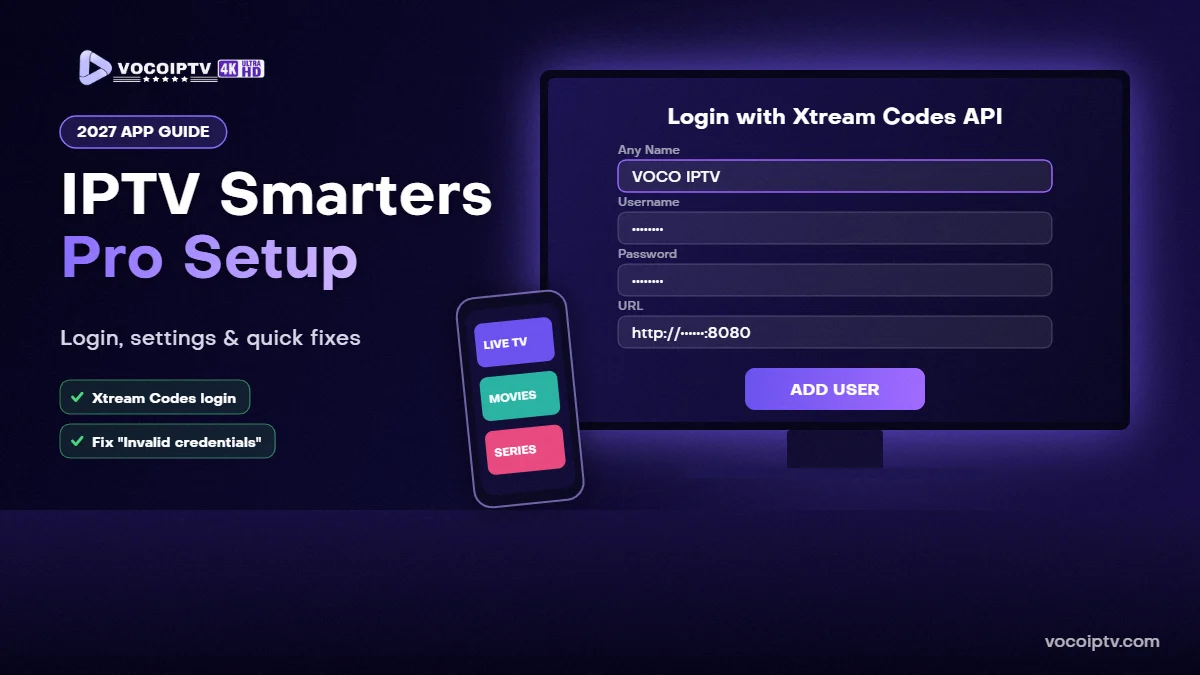
Step 2: Choose Login with Xtream Codes API
This is the recommended method: it loads live TV, movies, series and the TV guide automatically.
Step 3: Enter your login details
- Any Name: a label for your profile, for example VOCO IPTV.
- Username: from your IPTV provider.
- Password: from your IPTV provider.
- URL: the server address, including http:// and the port if one was given.
Step 4: Add the user and start watching
Tap Add User. The app downloads your channel list, movies and series. Open Live TV to choose a category and channel, or Install EPG to load the TV guide.
Alternative: Log In With an M3U Link
If your provider gave you an M3U URL instead, choose Load Your Playlist or File/URL, select M3U URL, give it a name and paste the link. The Xtream Codes method is usually faster and shows more information.
Best Settings for Smooth Playback
- Player: in Settings → Player Selection, try the built-in player first; switch to another player if a channel stutters.
- Stream format: if channels do not start, try switching between the default format, HLS (.m3u8) and MPEGTS (.ts) in Settings.
- Refresh content: use the refresh option after your provider adds new channels.
- Internet: at least 12 Mbps on the device for HD; Ethernet or 5 GHz Wi-Fi works best.
Common IPTV Smarters Pro Errors and How to Fix Them
“Invalid credentials” or “Login failed”
Re-type the username, password and URL exactly as sent. They are case-sensitive. Make sure the URL starts with http:// and includes the port if provided, and that your plan or trial is active.
Channels load but do not play
Change the stream format or the player in Settings, then restart the app.
Buffering or freezing
Restart your device and router, check your speed and close other streaming apps on the same network.
TV guide is empty
Use Install EPG or refresh the EPG in Settings, then wait a minute for it to load.
Use IPTV Smarters Pro With VOCO IPTV
VOCO IPTV works with IPTV Smarters Pro using an Xtream Codes login. Current prices for one connection:
- 1 month: $10.99
- 3 months: $23.99 (about $8.00 per month)
- 6 months: $39.99 (about $6.67 per month)
- 12 months: $57.99 (about $4.83 per month)
We accept Visa, Mastercard, PayPal and crypto (USDT). Compare all IPTV subscription plans, or see all devices in the IPTV installation guide.
Frequently Asked Questions
Is IPTV Smarters Pro free?
Yes, IPTV Smarters Pro can be used for free. It is only a player: it does not include any channels. You need an IPTV subscription or a free trial to get login details.
What do I need to log in to IPTV Smarters Pro?
Your IPTV provider gives you a username, a password and a server URL. In the app, choose Login with Xtream Codes API and enter them exactly as you received them. Some providers also give an M3U link.
Which devices can run IPTV Smarters Pro?
IPTV Smarters Pro works on Android TV and Android boxes, Fire TV, Android phones and tablets, iPhone and iPad, and Windows and Mac computers. On Apple TV, a version called Smarters Player Lite is listed in the App Store.
Why does IPTV Smarters Pro say “Invalid credentials”?
Usually the username, password or server URL is typed incorrectly. They are case-sensitive, must not include extra spaces, and the URL must include http:// and the port if one was provided. Also check that your plan or trial is still active.
How do I fix buffering in IPTV Smarters Pro?
Test your internet speed on the device (we recommend at least 12 Mbps for HD), restart your device and router, use Ethernet or 5 GHz Wi-Fi, and try changing the player in the app settings.
Can I use IPTV Smarters Pro on several devices?
Yes, you can install it on several devices with the same login. How many devices can watch at the same time depends on your plan, which is why VOCO IPTV also offers 2-connection and 3-connection plans.
Test IPTV Smarters Pro for Free
Request your free 24-hour IPTV trial, log in to IPTV Smarters Pro with the details we send you on WhatsApp, and test it on your own TV before choosing a plan.
